
The Complete Guide to Generating Custom PNG Text Online
Layam Game Studio · August 16, 2026A text to PNG generator turns typed words into a standalone image asset — styled, transparent, and ready to drop into a title card, a logo mockup, a game HUD, or a thumbnail. Sticker Studio is a free, browser-based text to PNG image tool built for exactly that: no design software, no export queue, just a live preview and a download button.
How to Style Your Typography (Colors, Shadows & Outlines)
Every style in Sticker Studio starts from a base look — Classic Sticker, Neon Cyber Glow, Retro 3D Pop, or Cyberpunk Glitch — that you then push further with the Color & Outline Settings panel:
- Text color — set an exact solid fill for the letters.
- Outer border & inner stroke — independent colors and widths for a layered outline effect.
- Drop shadow — color, blur radius, and vertical offset, for anything from a tight contact shadow to a soft floating glow.
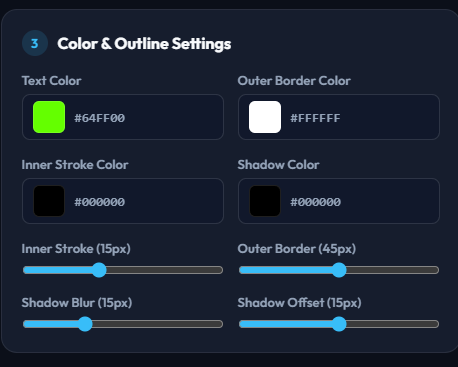
A note on scope: Sticker Studio currently works with solid colors rather than multi-color gradients, and font spacing follows the chosen typeface rather than a manual letter-spacing control — but between four distinct style presets, independent stroke/border/shadow colors, and adjustable widths and blur, you can cover the large majority of sticker-style typography looks without touching a design app.
Comparing Web Text-to-PNG Tools vs. AI Image Generators
It's tempting to just ask an AI image generator for "the word SALE in bold red 3D letters" — but AI image models paint text as pixels guessed from a prompt, not as real typeset characters. That means:
- Risk of distortion. Letters can come out warped, merged, or subtly wrong shape.
- Risk of misspellings. AI text rendering is notoriously unreliable with exact spelling.
- No live control. Changing one word usually means re-generating the whole image and hoping the new version still looks right.
A web-based text-to-PNG generator renders your exact characters using a real font engine, so every letter is guaranteed correct. Every setting — text, font, colors, outline, shadow — stays live and editable, with the preview updating instantly as you adjust it.
Exporting High-Resolution Transparent PNGs for Any Design Project
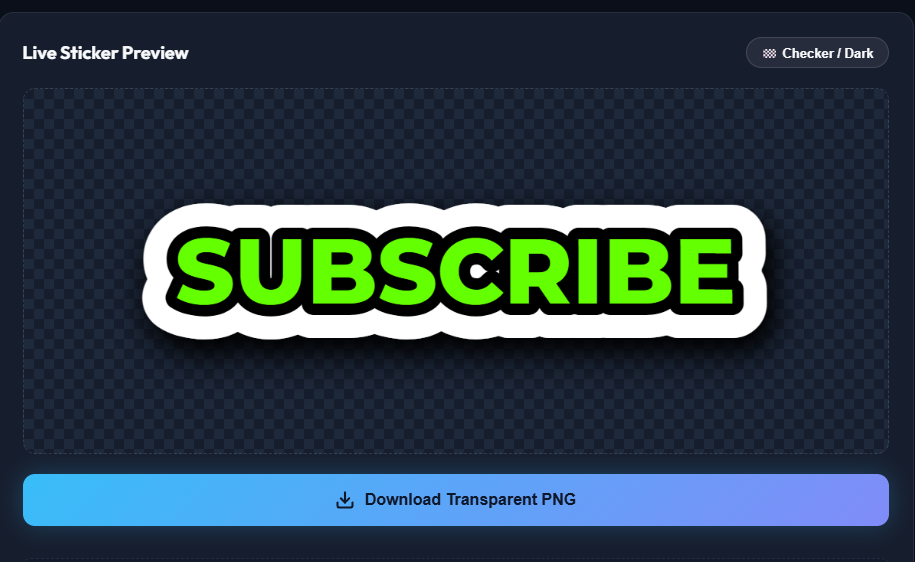
Sticker Studio doesn't render a small preview and stretch it up — the canvas is generated natively at the size determined by your text and settings. Push the Font Size slider up and the exported PNG's pixel dimensions scale up with it, so you can produce a small icon-sized asset or a large, crisp image for a banner or print layout from the same tool. The download is always a true transparent PNG (alpha channel), so it drops cleanly onto any background in any editor.
Ready to generate your own PNG text?
Open Sticker Studio →