
How to Make Free Transparent Text Stickers for YouTube Thumbnails
Layam Game Studio · August 16, 2026Bold, sticker-style text is one of the fastest ways to make a YouTube thumbnail pop — think thick white outlines, punchy colors, and a drop shadow that lifts the text off the background. You don't need Photoshop to get that look. Here's how to build one in under a minute with Sticker Studio, our free, 100% browser-based text sticker generator.
1. Type your text
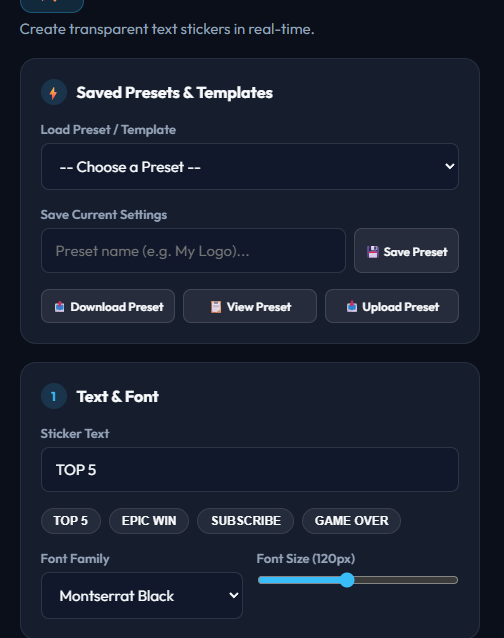
Open Sticker Studio and type your headline into the Sticker Text field — things like "TOP 5", "EPIC WIN", or "SUBSCRIBE" work well as short, punchy thumbnail callouts. Keep it to a handful of words; sticker text reads best big and short.
2. Pick a font and size
Under Text & Font, choose a typeface from the Font Family dropdown — Montserrat Black and Anton both read well at thumbnail size, while Pacifico gives a softer, handwritten feel. Drag the Font Size slider up until the text fills the space you're designing for.
3. Choose a sticker style
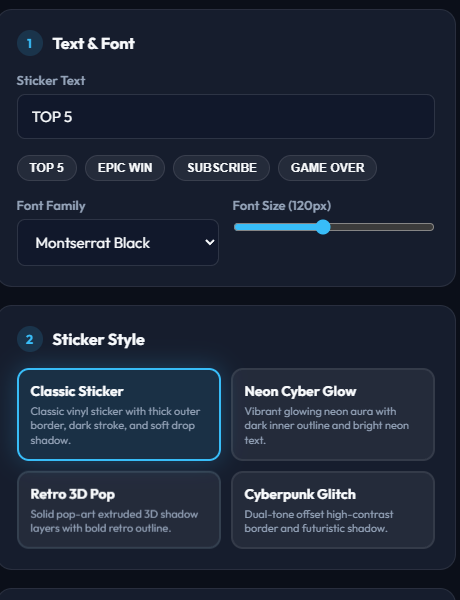
The Sticker Style section has four built-in looks to start from:
- Classic Sticker — the vinyl/paper look, thick white border and soft shadow.
- Neon Cyber Glow — a glowing neon aura, great for gaming and tech content.
- Retro 3D Pop — layered 3D block extrusion for a chunky, arcade feel.
- Cyberpunk Glitch — dual-tone outline with an offset glitch shadow.
Click a style card to apply it instantly — the live preview updates in real-time.
4. Fine-tune colors and outline
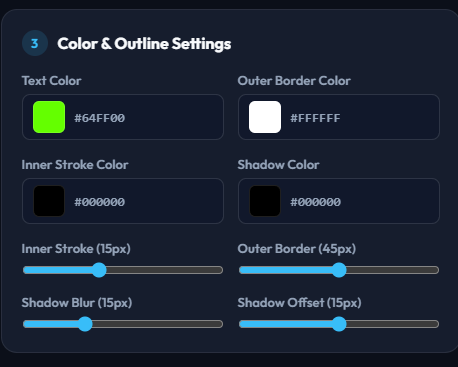
Open Color & Outline Settings to adjust the text color, outer border color, inner stroke color, and shadow color to match your channel's branding. The Inner Stroke, Outer Border, Shadow Blur, and Shadow Offset sliders let you control exactly how thick and how far the outline and shadow sit — a heavier outline usually reads better at small thumbnail sizes.
5. Download your transparent PNG
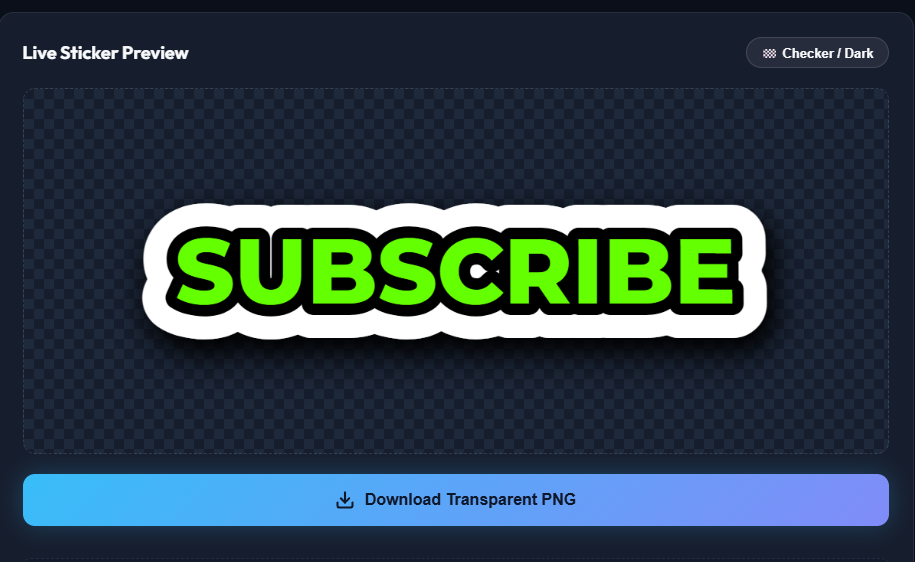
Use the 🏁 Checker / Dark toggle above the preview to check how the sticker looks against different backgrounds, then hit Download Transparent PNG. The file downloads straight to your device with a transparent background, ready to drop into Photoshop, Canva, CapCut, or your thumbnail editor of choice.
Bonus: save your look as a preset
If you land on a style you'll want to reuse for future thumbnails, give it a name under Save Current Settings and hit Save Preset — it'll show up in the Load Preset / Template dropdown next time, saved locally in your browser. You can also export it as a JSON file to back up or share with a teammate.
Ready to make your own sticker text?
Open Sticker Studio →